Cargando el producto…

Precio de origen
$ 97.980
+ flete e impuestos
Color
Compra protegida
Puerta a puerta
Gestión aduanera
Tu compra, acompañada de principio a fin
Todo esto está en los Términos y Condiciones. Leerlos
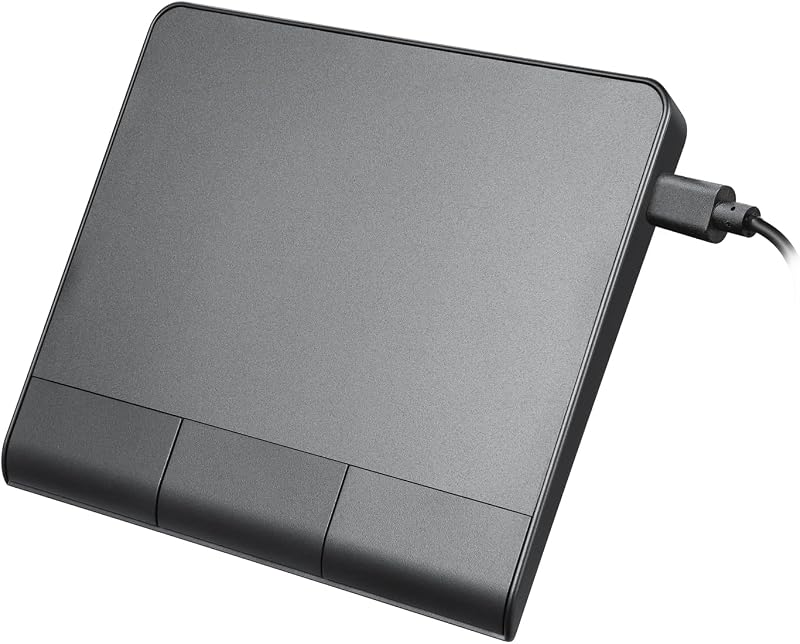
Descripción del producto ProtoArc Wireless Trackpad para Windows 10/11 Solo Windows: T1 Plus Trackpad es compatible solo con Windows 10/11 y solo Bluetooth: se conecta solo a través de BLUETOOTH. Asegúrese de que su dispositivo sea compatible con la conectividad Bluetooth Página anterior Un panel táctil para tres dispositivos Haga clic en el botón de conmutación de modo para cambiar entre tres dispositivos (Nota:conéctese solo a través de Bluetooth) Cargue fácilmente el panel táctil con el cable de carga USB incluido en cualquier momento o en cualquier lugar 2. Batería baja del portátil: si la batería de tu portátil cae por debajo del 10%, es posible que experimentes problemas con el panel táctil, como gestos que no responden o un cursor atascado, incluso si se muestra como conectado. Cargue su portátil lo antes posible. 3. Batería del panel táctil baja: si la batería del panel táctil está muy baja, es posible que parezca conectado pero que no responda a los gestos o que el cursor se retrase. Recargue el panel táctil rápidamente. 4. Problemas de conexión: si el panel táctil se desconecta y no se vuelve a conectar, por favor con ¿Puede este panel táctil funcionar en modo cableado? Este es un panel táctil inalámbrico que no admite el modo por cable. El cable de carga tipo C es solo para cargar y no se puede conectar a un ordenador para lograr la función táctil con cable. ¿El panel táctil inalámbrico admite toques de cinco dedos o sensibilidad táctil de área completa? Lo sentimos, el panel táctil inalámbrico Win T1 Plus solo admite clics físicos de los botones izquierdo y derecho en la parte inferior para realizar las funciones de los botones izquierdo y derecho del mouse ¿Cuánto tiempo
Agregás al carrito
Sumás este y otros productos que querés traer.
Cotizás el envío
Calculamos flete aéreo y aranceles a Argentina.
Confirmás y pagás
Online con tarjeta, o por transferencia, con el total final a la vista.
Lo recibís en casa
Seguimiento en tiempo real. El despacho lo hacemos nosotros.
De la misma marca, empezando por lo más reseñado
Mismo tipo de producto y precio parecido