Cargando el producto…

Precio desde
$ 265.747
+ flete y aranceles — se calculan al cotizar
Color
Compra protegida
Puerta a puerta
Aduana incluida
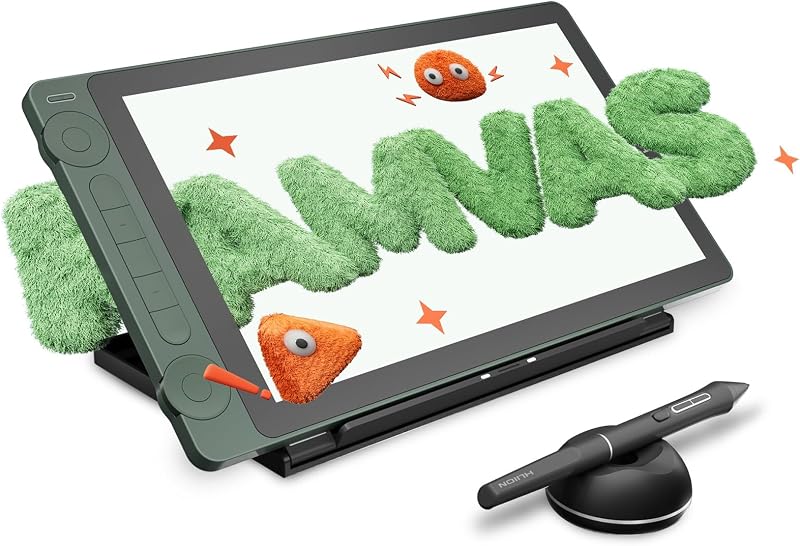
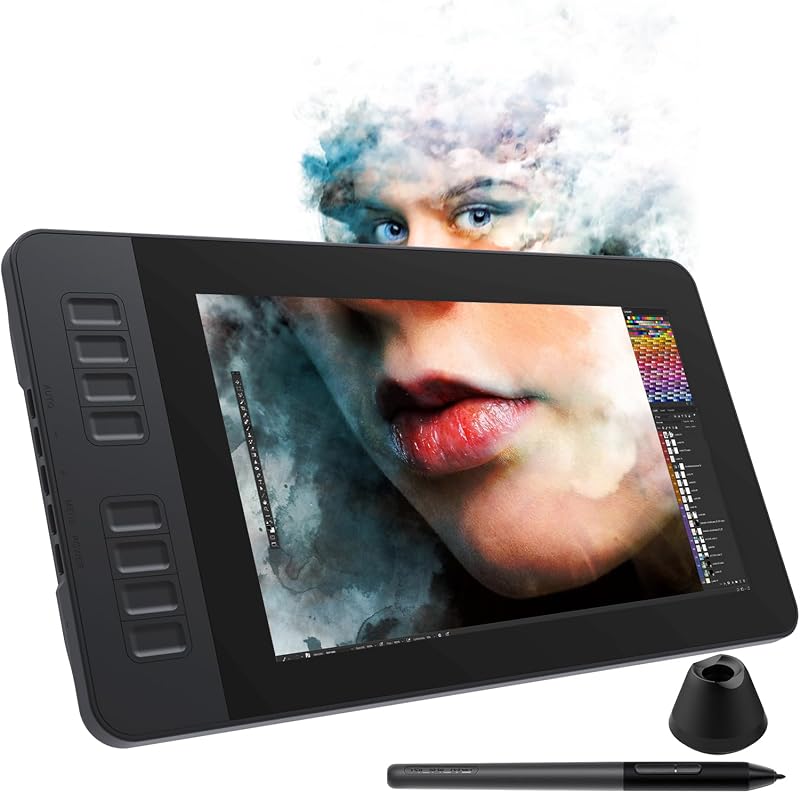
Product description Small Frame, Big Screen Features a Full-screen design, compared with other displays, VK1200 V2 drawing tablet with screen is almost no frame. See every detail of your work clearly on the 1920x1080 full-laminated IPS display. Natural Drawing Experience Battery-free stylus, 16384 pressure levels, 60° tilt function, and 290PPS report rate provide excellent precision and reduced parallax. Metal Body and Anti-Slip The back of the drawing display features an anti-slip design which provides a stable drawing experience. Easy to Connect to Your Device It is compatible with Windows 7 (or later), Mac OS X 10.12 (or later) and Linux. Multi-Software Support Compatible with most software, such as Adobe Creative Software, Sai, Corel Painter, MediBang Paint, Clip Studio, Krita, Zbrush, Zoom, and more. Previous page Easy to Setup The VK1200 V2 drawing display connects easily to your device via a new update USB-C cable or a HDMI &USB cable on different devices. It helps to make your workspace clean and tidy. Full-Laminated Technology VK1200 V2 drawing monitor chooses full laminated screen which combining the glass and screen seamlessly. This ensures the accuracy of the cursor position and the lowest parallax. Leap your ideas off the screen The 11.6-inch display features 16.7 million pixels, 120 sRGB/72% NTSC of true-to-life color, and ultralow reflectivity, making text sharp and colors vivid, wherever you are. Portable and Compact The sleek and lightweight design allows you to put it in your bag or carry on the go. Designed for the Creative Workflow Comes with 6 customizable shortcut keys, enabling you to do so much, so quickly. More Accessories Get more value with the package that includes not one, but 2 pens, 28 extra pen nibs, an artist glove, a pen holder, a clean cloth, and a nib remover. Next page Draw, Write and Learn with VK1200 V2 Intuitively Every workspace is different, depending on who you are, what you do and how you create. Veikk provides almost the same high performance with precision, accuracy, seamless integration with creative software applications and built-in comfort for the long hours of creating and learning. VK1200 V2 graphic tablet with screen is the best choice to satisfy the demanding needs of the creators. The video showcases the product in use.The video guides you through product setup.The video compares multiple products.The video shows the product being unpacked.Video Player is loading.Click to play videoPlayMuteCurrent Time 0:00/Duration 0:57Loaded: 5.27%0:00Stream Type LIVESeek to live, currently behind liveLIVERemaining Time -0:57 1xPlayback RateChaptersChaptersDescriptionsdescriptions off, selectedCaptionsCaptions off, selectedAudio Trackdefault, selectedFullscreenThis is a modal window. aplus content video Important Notice: Important Note: System Compatibility: This drawing monitor is NOT a standalone device – it must be connected to a laptop or desktop computer to function. Compatible with Windows 7+, macOS 10.12+, and Linux (specific versions). Not compatible with iPhones or iPads. Connection Options: Two ways to connect (A) Full-Featured USB-C–: Use the included Type-C to Type-C cable for simultaneous data, power, and video transmission. (B) HDMI + USB: If your PC lacks Full-Featured USB-C, connect via HDMI (plug into graphics card, not motherboard for desktop users) plus the black USB-A to C cable. If the screen flickers due to low power, plug the red USB-A cable into another PC USB port or a phone power adapter (adapter not included). Driver Installation: Download the latest VEIKK driver from VEIKK official website. Important: Install after connecting the display to your PC. Ensure no other tablet drivers are present to avoid conflicts, and close all antivirus and drawing software before installation. macOS Mojave/Catalina Users: After installing the driver on macOS 10.14 or 10.15, you must add "Tablet Driver Center" to the system whitelist. For step-by-step guidance, visit VEIKK web and search "How to install driver in Mojave/Catalina" in the FAQ section. Previous page Start Your Drawing Journey Instead of drawing on paper or graphic tablet, using a VK1200 V2 drawing tablet to help you start your art creation intuitively, easier, and environmently. Come join us to build a digital art world! Edit Photos Precisely With the pressure settings on the pen, paired with the freedom of movement using a stylus instead of a mouse, allow for much more precise changes while working on fine details like dodging, burning... Make Design Quicker and More Fun You have no need to lift up and move when you want or go to a differnet part of the computer screen with a pen display, which giving you the natural flow of your hand motions. Build Your Own Role It can utilize the display’s pressure sensitivity to make tasks such as digital sculpting and texturing easier on Zbrush, Blender or Maya. Learn or Work from Home Whether your job or study requires a lot of annotations or video confere
Agregás al carrito
Sumás este y otros productos que querés traer.
Cotizás el envío
Calculamos flete aéreo y aranceles a Argentina.
Confirmás y pagás
Un asesor te contacta con el link de pago.
Lo recibís en casa
Tracking en tiempo real. Aduana incluida.
Lo que suele llevarse para tu pantalla · un solo envío para todo
De la misma marca, empezando por lo más reseñado
Los mejor puntuados del mismo tipo de producto
Mismo tipo de producto y precio parecido