Cargando el producto…

Precio de origen
$ 78.380
$ 97.980
+ flete e impuestos
Compra protegida
Puerta a puerta
Gestión aduanera
Tu compra, acompañada de principio a fin
Todo esto está en los Términos y Condiciones. Leerlos
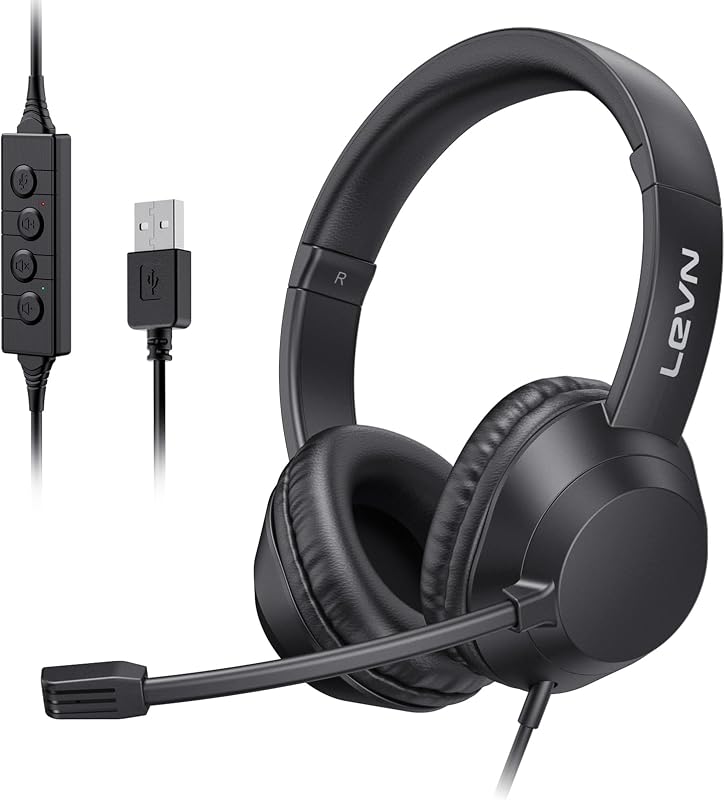
Product description LEVN Bluetooth 5.3 Headset AI Noise Cancelling, Clearer Hands-free Calling Previous page Environmental Noise Cancellation No matter where you are, our Bluetooth headsets ensure clear voice quality. Privacy Protection You can double-touch the mute button to turn on/off the microphone to protect your privacy Dual Device Seamless Switching Connect 2 devices at the same time, quickly switch to calling device via MFB, and never miss a call. Compatible with Most Platforms Works online conferencing software like Zoom, Teams, Google Meeting, WebEx, YouTube, Skype and so on Next page 1 AI Noise Cancelling 2 Mute Button 3 Connect 2 Devices 4 Widely Compatibility HiFi Stereo Music High-fidelity audio delivers accurate reproduction of every detail in both music and movies. How to pair LEVN CT003 with 2 devices simultaneously via Bluetooth? 1. Press and hold MFB button for 3-5s to enter pairing mode, the LED indicator light will flash blue and red alternately, and you could hear "Pairing". 2. Turn on the Bluetooth function of device A, search and connect [CT003] in the Bluetooth device list. When you hear "connected" and the LED indicator turns blue and flashes slowly every 5s, it means the headset is connected to device A. 3. Turn off the Bluetooth function of device A, when you hear "Disconnected", the LED indicator light will flash blue and red alternately, [CT003 ] will re-enter the pairing mode. 4. Turn on the Bluetooth function of device B, search and connect [CT003] in the Bluetooth device list, when you hear "connected" and the LED indicator turns blue and flashes slowly every 5s, it means the headset B-device connected to device B. 5. Turn on the Bluetooth function of device A, and click "Connect" [CT003] in the Bluetooth device list. When you hear "connected" again, it means that the headset has been successfully connected to device A and device B at the same time. Note: When you listen to music on device A, and device B has an incoming call, just click the MFB button to answer the call (please check the manual for more details). LEVN HEADSET COLLECTION CT003 Add to Cart CT002 V3 Buying Options CT001-V2 Buying Options CT005 V2 Buying Options LEVN UH003 Buying Options LEVN LE-HS013 Superior Add to Cart LEVN LE-HS016 Superior Buying Options Customer Reviews 4.0 out of 5 stars 716 5.0 out of 5 stars 1 4.4 out of 5 stars 7 3.8 out of 5 stars 9 3.8 out of 5 stars 54 4.0 out of 5 stars 201 4.0 out of 5 stars 78 Price $39.99$39.99 — — — — $69.99$69.99 — Earcup Binaural Single-Ear Binaural 2*Mini Microphones Binaural Binaural Binaural Bluetooth Multipoint 2 Devices Simultaneously 1 Device 1 Device 2 Devices Simultaneously NO Bluetooth 1 Device 1 Device Battery Life Up to 60 hours Up to 65 hours Up to 65 hours Up to 60 hours No Charging Required Up to 65 hours Up to 65 hours Charging Method USB C Cable USB C Cable USB C Cable USB C Cable Wird Charging Base or USB C Cable Charging Base or USB C Cable Connectivity Bluetooth Bluetooth & USB Dongle Bluetooth & USB Dongle Bluetooth & USB Dongle Wird Bluetooth & USB Dongle Bluetooth & USB Dongle My Bluetooth headset is connected to my cell phone and table at the same time, how do I switch devices? When your Bluetooth headset is successfully connected to your cellphone and tablet via Bluetooth, please click the MFB button to switch to your calling device or music device. It's always noisy when I work from home. Can others still hear the sounds around me using this Bluetooth headset? Please don't worry, this bluetooth headset with noise canceling microphone can accurately filter your background noise, so callers can only hear your clear voice. Bring you a better call experience. Can I use the headset to answer or hang up calls? If the headset is connected to a mobile phone, you can click the MFB to answer/end calls on the headset; If the headset is connected to a computer, you need to answer calls on the computer. Reminder: MFB does not work with desk phones and landlines How do I use the headset's mute function during a call or online meeting? You only need to double touch it to quickly mute the microphone, avoiding disturbance or revealing privacy during calls or meetings. How to clear the pairing records? Press and hold the MFB power button and Volume"-" button at the same time for 5-7 seconds. Seeing that the LED indicator light is purple, the headset has cleared the pairing record and restored the factory settings.
Agregás al carrito
Sumás este y otros productos que querés traer.
Cotizás el envío
Calculamos flete aéreo y aranceles a Argentina.
Confirmás y pagás
Online con tarjeta, o por transferencia, con el total final a la vista.
Lo recibís en casa
Seguimiento en tiempo real. El despacho lo hacemos nosotros.
Lo que suele llevarse para tu notebook · un solo envío para todo
De la misma marca, empezando por lo más reseñado
Los mejor puntuados del mismo tipo de producto
Mismo tipo de producto y precio parecido